Context
It started because I find AVs cool
I’ve always been fascinated by technology that drives itself. That’s how I stumbled on Wayve.
Wayve is a UK company building AI software and hardware that can be added to existing cars to make them autonomous at L2: the car drives, and a person supervises. L2 autonomy is what I designed for. It’s partnering with Nissan, Mercedes and Uber across Europe, Japan and the US. The goal is to democratise autonomous mobility.
I quickly found out they want to grow their in-vehicle experience. That’s where it got interesting.
Identifying pain points
And then I found an interesting problem Wayve has to tackle in the same moment.
Tesla informs the driver. A robotaxi reassures the passenger. Wayve has both in one car: a safety operator up front and a guest in the back. Being L2, Wayve needs constant supervision and an operator to be present during the drive currently.
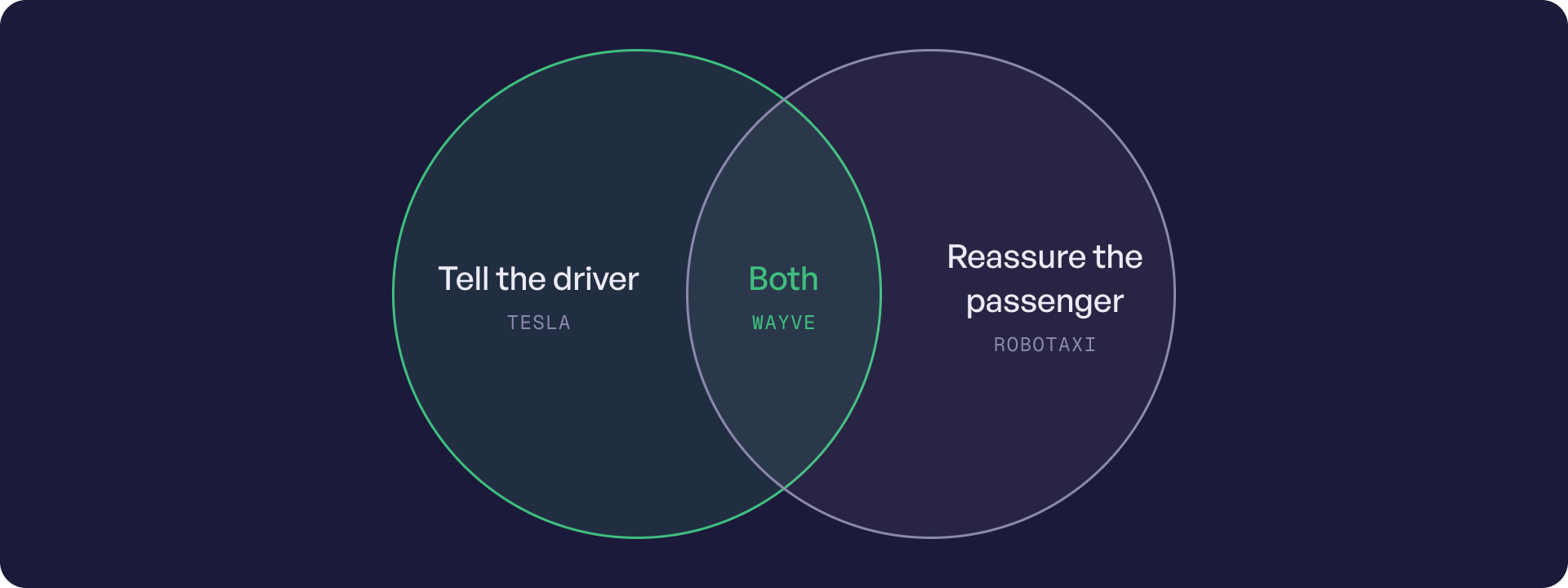
So, I started with the two people in the car. I mapped each of their rides separately. What do they need to know? What should they know? Where does communication break?

Safety operator
Tell me early, tell me what it’s reacting to, and let me act without alarming my guest.

Guest
Tell me why the car is doing what it’s doing, so caution reads as care.
Problem
How can a guest in the back seat tell deliberate caution from real uncertainty, on a screen built for the driver?
Insights
It was essentially a trust problem
I watched a tonne of Wayve ride videos and read everything I could find. Passengers often feel the car is being overly cautious. It isn’t nervous. It just isn’t talking.
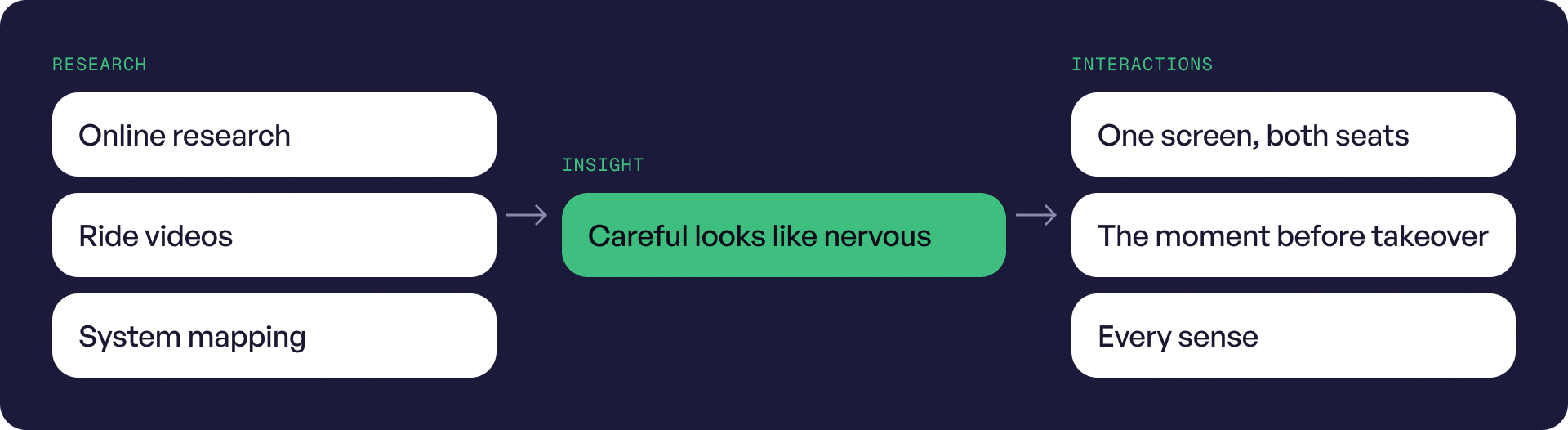
Experience mapping
So, I mapped the entire journey experience and designed for the moment where the user confidence drops the most
How confidence changes along one ride
Calm
Anxious
Confidence drops
Needs
Alex BiancaTap a stage to see that moment. The curves are a design hypothesis, to validate with demo-ride research.
Solution #1 when Wayve is confident
A simple screen that explains itself
The screen is deliberately simple. It always shows the system’s health and who’s in charge. A short script explains each decision and what the car will do next.
Around the screen, every sense gets a role. The operator gets beeps and haptics. The guest is kept calm by light, the screen and, at key moments, a calm voice.
The simulation does the heavy lifting. I simplified the map and moved the view from the driver’s eyes to one that shows the car in its surroundings. Now both people can see the decision, not just feel it.
Solution #2 when confidence drops
The Agar Grove lights
A cyclist crosses on red. The reason arrives late, Bianca takes over, then Wayve drives on.
Solution #3 Wayve is cautious but in control
A bend, an ambulance, a bin
Two cautious moments, both handled. Wayve stays in control.
Edge cases
Driving is a very human, unpredictable activity
Driving is a very human activity, so there are a lot of edge cases. Unexpected obstacles, weather, abrupt decisions. I mapped many and solved for a few.
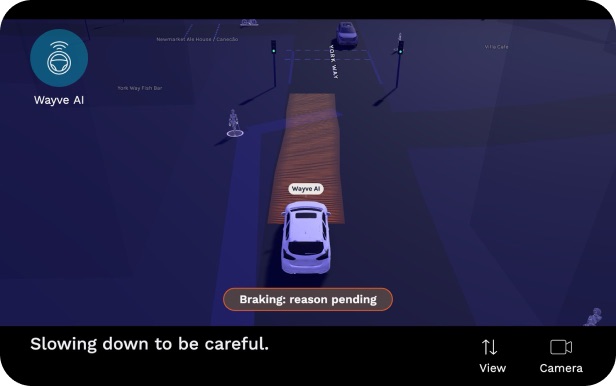
Communication lag
The car acts before it can explain.
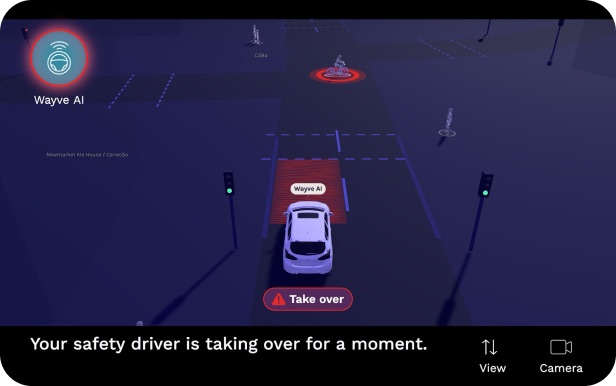
Handover
The operator is asked to step in.
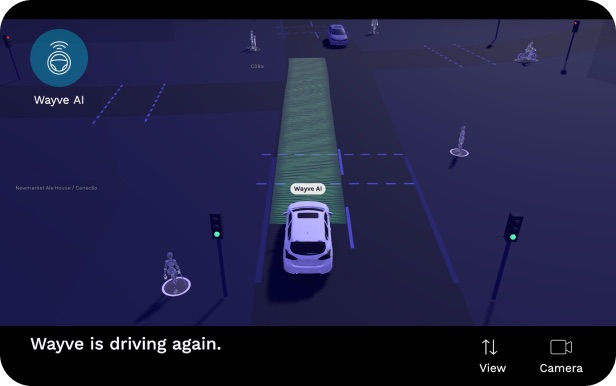
Back to Wayve AI
The system drives again, and says so.
The process
Building has become really accessible now. So, I built my own scene simulator with Claude Code
This was a one-week project. When I reached the environment screen, I didn’t want to model scenes by hand. With endless possibilities on what you can build now and new workflows, I tried something cool and it worked.
I built a personal scene simulator with Claude Code and three.js. It pulls real streets from OpenStreetMap to recreate an exact London neighbourhood. I can change the environment, control the scene, prompt the scenario I want, and tweak light and shadow.
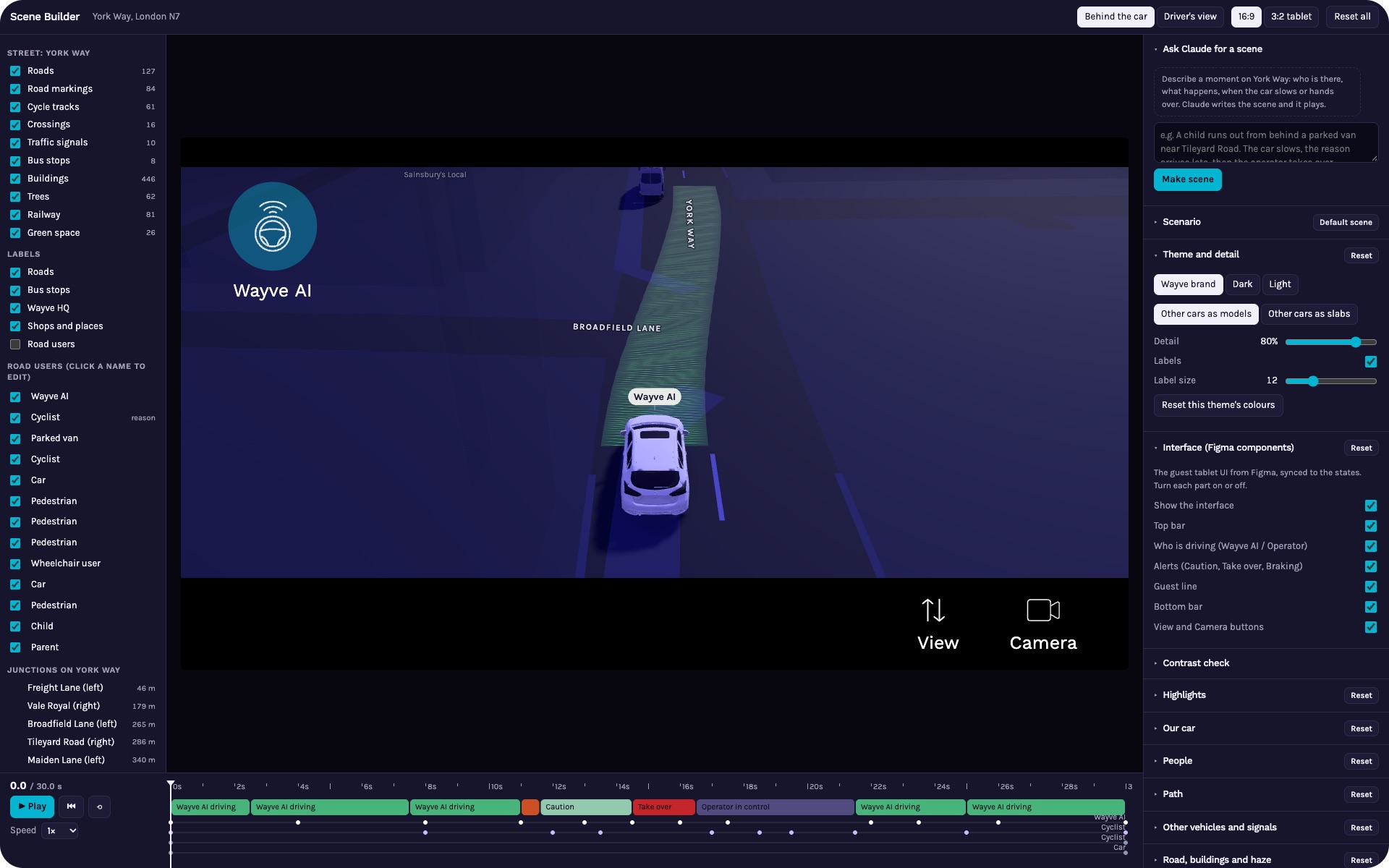
Every UI graphic in this case study comes from it. I imagine the Wayve team works the same way: virtual models for internal use. You can try any scenario, iterate on how the system reacts, and see the experience before it exists.
Systems diagram
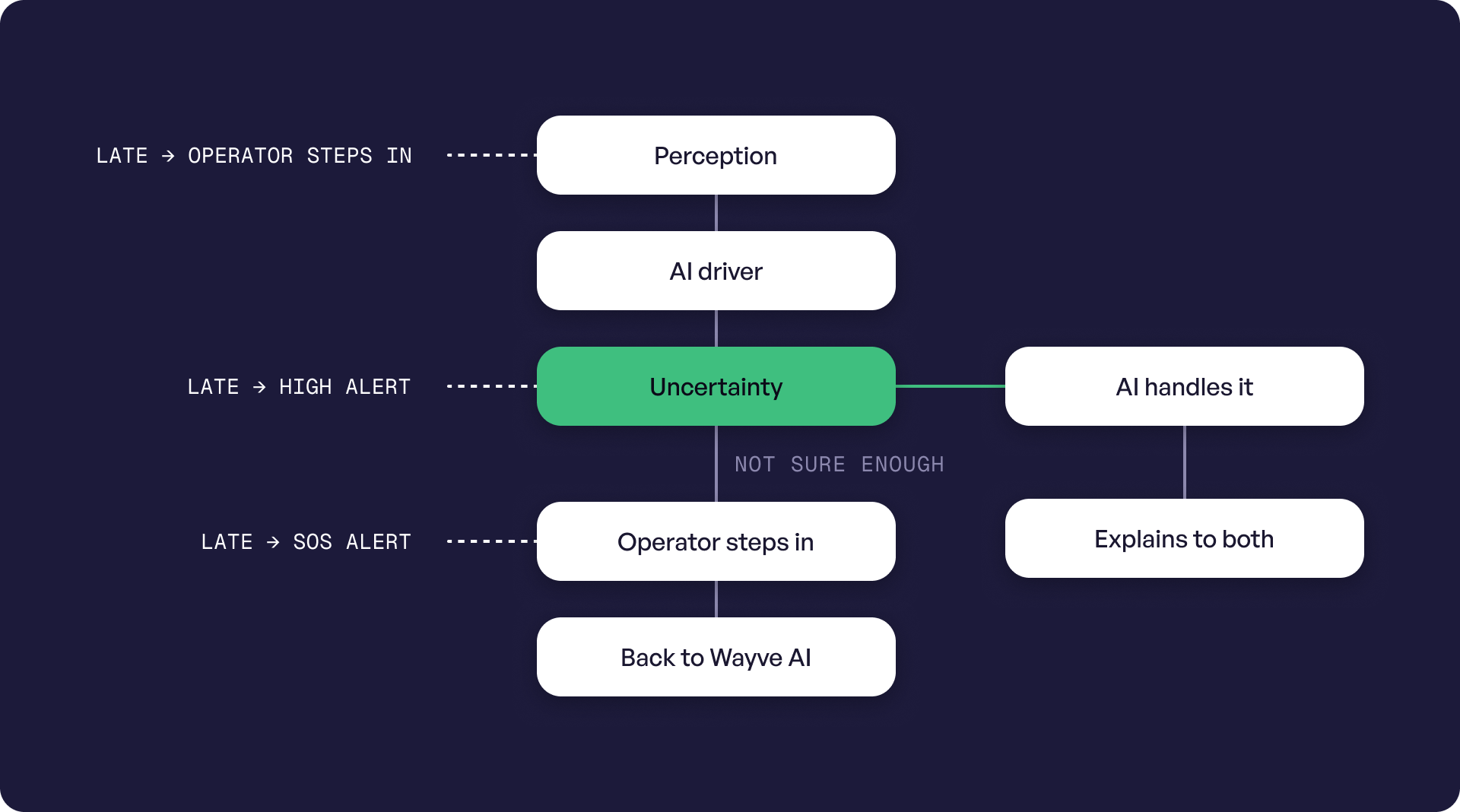
How the AI handles uncertainty
Next, I mapped how the system deals with uncertainty. Who acts, who gets told, and what happens when something is late.
What’s next
Where I’d take it
- 01Learn how the Wayve team tackles these challenges, and get feedback from someone who works on this problem.
- 02Grow the simulator with more London neighbourhoods and turn it into a live tool.
- 03Think about scaling the experience design as Wayve grows from an L2 to L4 AV
Learnings and reflections
Designing trust, not a screen
Designing for autonomous vehicles isn’t about designing a screen. It’s about designing trust and communication, and how each sense gets engaged. It’s also about simulating every scenario and testing it before it happens.
My goal was to step into the shoes of the designers working on this, using new tools that make so much possible now. I did it in one week.
The biggest learning was what building the scene simulator unlocked. I’ve been trying to automate my own internal design process, and this was the first time I built a complex internal tool just to get to the final result. I’m carrying that into every project now: if the tool I need doesn’t exist, I can build it.
If this interests you, I’d love to walk you through my thinking and the system diagrams.